Services / Network design and cabling
Network design and structured cabling in Orlando, FL
LocalTechify designs business networks and installs the structured cabling that carries them for offices, schools, call centers, warehouses and new construction across Orlando and Central Florida. We plan topology, racks, PoE and VLANs first, then pull, terminate, label and test every run. We also clean up and re-organize messy network closets.
- Network designed before cable is pulled
- Every run labeled and tested
- More than 25 years of hands-on experience
- CompTIA Network+, MCSA and MCSE certified team
What does network design include before any cable is pulled?
Network design decides where the equipment lives, how it connects and how much power and bandwidth it needs, so the cabling is built for the network instead of the other way around.
Topology
We map how the internet connection, firewall, core switch, access switches, WiFi access points, cameras and phones connect, and where redundancy is worth adding.
MDF and IDF locations
We choose the main distribution frame and any intermediate closets so every drop stays within the 100-meter (328-foot) Ethernet channel limit.
Rack elevation
A drawing of each rack shows patch panels, switches, cable managers, firewall, UPS and space for growth, unit by unit.
PoE budget
We total the power draw of access points, cameras, phones and door hardware against each switch, using 802.3af, 802.3at and 802.3bt classes, with headroom.
VLAN plan
Staff, guest WiFi, cameras, point of sale, phones and building systems each get their own segment, so one problem does not spread to everything. Firewall rules then control exactly what each segment is allowed to reach.
Drop count and locations
We mark every data outlet, access point, camera and device location on the floor plan, with spare capacity at the rack for the moves and additions every business makes.
Switch and firewall selection
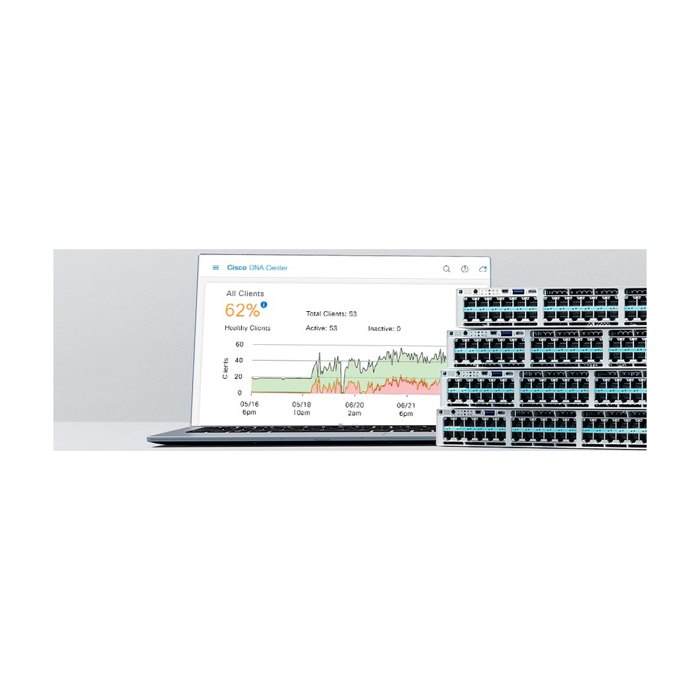
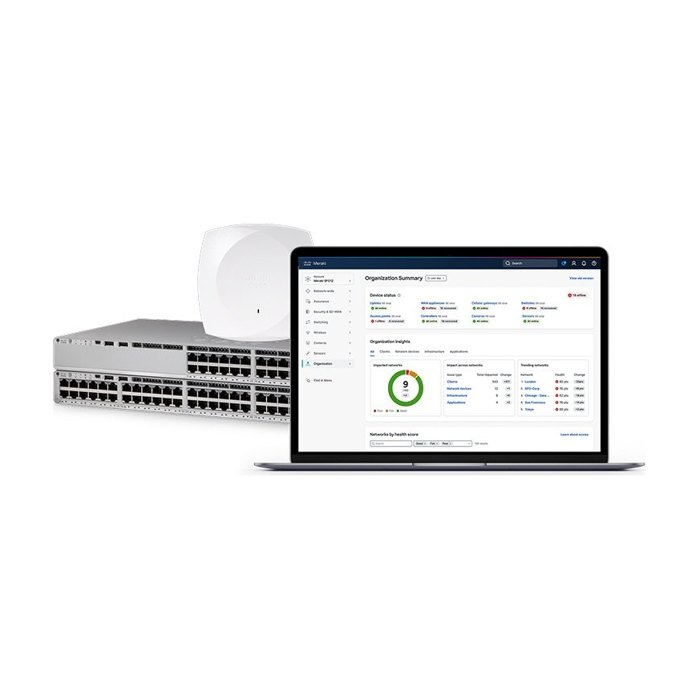
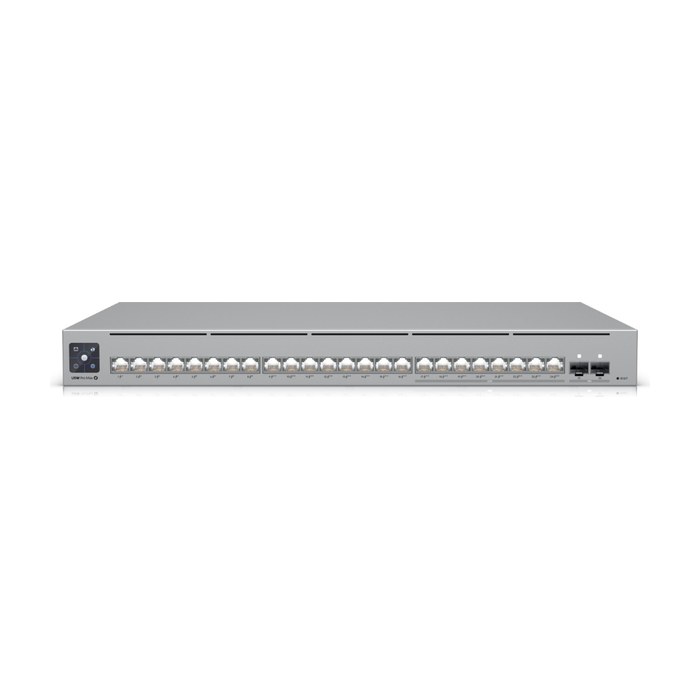
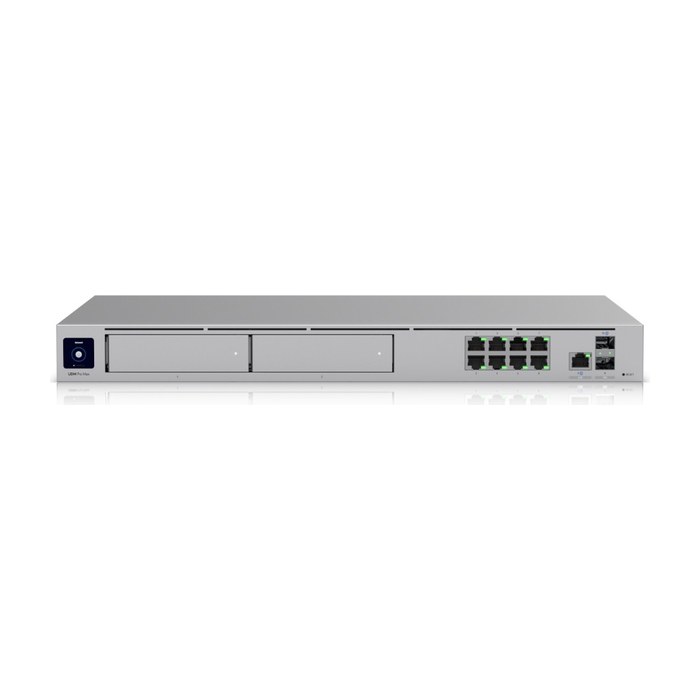
We size port counts, uplink speeds, PoE capacity and firewall throughput to your users and applications, from Cisco, Ubiquiti UniFi, Meraki, Aruba or Fortinet.
Should you install Cat6 or Cat6A cable?
Cat6 is the right choice for most office drops, while Cat6A is the better pick for WiFi 6E and WiFi 7 access points, high-power PoE and anything that needs 10 Gbps at full distance.
| Cat6 | Cat6A | |
|---|---|---|
| Rated bandwidth | 250 MHz | 500 MHz |
| 10 Gbps distance | Up to about 37 to 55 meters, depending on conditions | Full 100-meter channel |
| 1 Gbps distance | Full 100-meter channel | Full 100-meter channel |
| High-power PoE | Works, runs warmer in large bundles | Better heat handling in bundles for 802.3bt |
| Cable size | Thinner and easier to route | Thicker, needs more pathway and rack space |
| Best fit | Desks, phones, printers, most cameras | WiFi access points, multi-gig uplinks, future-proof builds |
Many projects mix the two: Cat6 to desks and Cat6A to ceiling access points and high-demand locations. We recommend by location, not by habit. Cat5e still passes 1 Gbps, but for new installs in Central Florida offices we no longer recommend it, since the cost difference is small compared with the labor of pulling cable twice.
When do you need fiber instead of copper?
Use fiber when a link runs beyond 100 meters, connects separate buildings or closets, or needs more speed than copper can carry at that distance.
| Fiber type | Core size | Typical use |
|---|---|---|
| OS2 single-mode | 9 micron | Long distances and between buildings; supports very high speeds over kilometers |
| OM3 multimode | 50 micron | Backbones inside a building, 10 Gbps up to about 300 meters |
| OM4 multimode | 50 micron | Backbones and data rooms, 10 Gbps up to about 400 meters and better support for higher speeds |
We terminate fiber in rack-mounted enclosures with the right connectors (LC is most common), match the optics to the fiber type, and test every strand. Fiber is also immune to the electrical interference and ground differences that can hurt copper between buildings.
How is a structured cabling system installed the right way?
Good cabling is mostly the part you never see: the right cable jacket, supported pathways and a proper ground.
Plenum vs riser cable
Plenum (CMP) cable goes in air-handling spaces such as return-air ceilings, and riser (CMR) cable goes in vertical shafts between floors. Using the wrong jacket can fail inspection and create a fire-safety problem.
Pathways and J-hooks
Cable is supported with J-hooks or cable tray at proper intervals, never laid on ceiling tiles or tied to pipes, sprinkler lines or ceiling grid wires.
Bend radius and pull tension
We respect bend radius and pulling limits so the cable keeps its tested performance after it is installed.
Separation from power
Data runs keep distance from electrical lines, lighting ballasts and motors to avoid interference.
Firestopping
Penetrations through rated walls and floors are sealed with firestop material after cable is pulled.
Grounding and bonding
Racks, cable tray and shielded systems are bonded to the building grounding system, which matters for equipment safety and surge protection.
Cable management
Horizontal and vertical managers, correct-length patch cords and hook-and-loop straps keep racks clean, cool and easy to work on.
What do the cabling standards mean in plain English?
Cabling standards are the rulebook that makes a network reliable, easy to troubleshoot and ready to expand, and we build to them on every job.
TIA-568
Sets how commercial cabling is designed and performs: cable categories, the 100-meter channel limit, termination (T568A or T568B, used consistently) and the tests a link must pass.
TIA-606
The labeling and documentation standard. Every cable, jack, patch panel port and rack gets a logical ID that matches the drawings, so anyone can trace a problem in minutes.
BICSI practices
Industry best practices for pathways, telecom rooms, cable support and installation workmanship that we follow in the field.
NEC plenum and riser rules
The National Electrical Code decides which cable jacket is allowed in which space, such as CMP in plenum spaces and CMR in risers, and requires removal of accessible abandoned cable.
How do we test and certify every cable run?
Every copper and fiber run is tested with a certification tester before we call the job done, and you get the results.
| What the test report shows | Why it matters |
|---|---|
| Pass or fail against the cable category (Cat6 or Cat6A) | Proves each link meets the standard, not just that it lights up |
| Wire map | Catches split pairs, crossed pairs and opens that cause intermittent problems |
| Length | Confirms each run stays within the 100-meter channel limit |
| Insertion loss, NEXT and return loss | Shows the cable will carry the rated speed without errors |
| Fiber loss per strand | Confirms each fiber link is within its loss budget for the optics |
| Cable ID for each result | Ties every result to a labeled jack and patch panel port |
Failed runs are fixed and re-tested before handoff. The report stays with your documentation for future moves, audits and troubleshooting.
Does your network closet need a cleanup?
If your rack looks like spaghetti, it needs a cleanup, and these are the most common signs we see in Orlando offices:
- Nobody knows which cable goes to which desk or device
- Patch cords are far too long and hang in front of the equipment
- Switches, modems and routers sit on the floor or on top of each other
- Unlabeled ports and handwritten notes taped to the rack
- Dead cables and old equipment still in the closet
- Closet runs hot, with blocked airflow and no UPS
- Simple changes take hours because every move is a guess
What equipment do we install?
We pick the platform for your site, budget and how you want to manage it. Brands we install: Cisco, Ubiquiti UniFi, Cisco Meraki, Aruba, Fortinet, Panduit.
Network closet cleanup: before and after
Real closets we reorganized. Every cable traced, re-patched with the right length cord, labeled and documented.
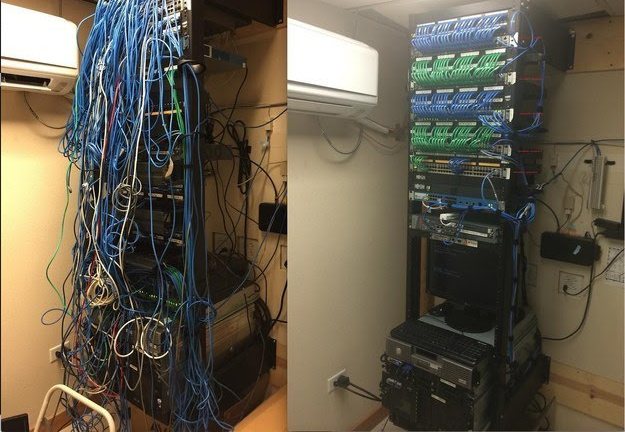
Network closet cleanup
Office rack traced, re-patched with right-length cords, labeled and documented.
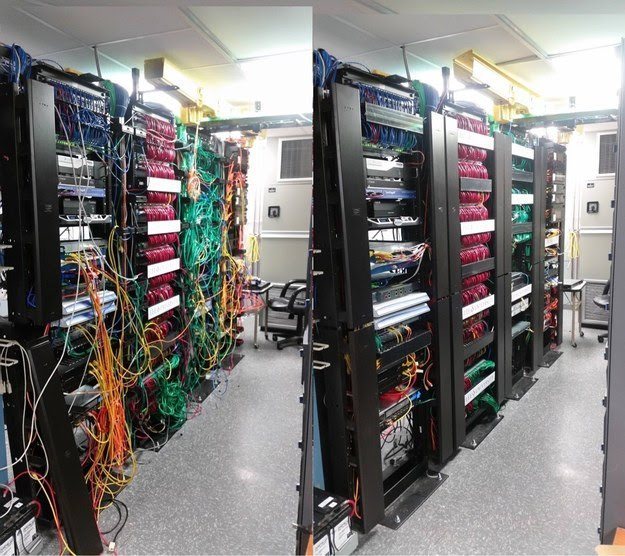
Server room rack row cleanup
Multi-rack row re-organized with vertical cable managers and color-coded patching.
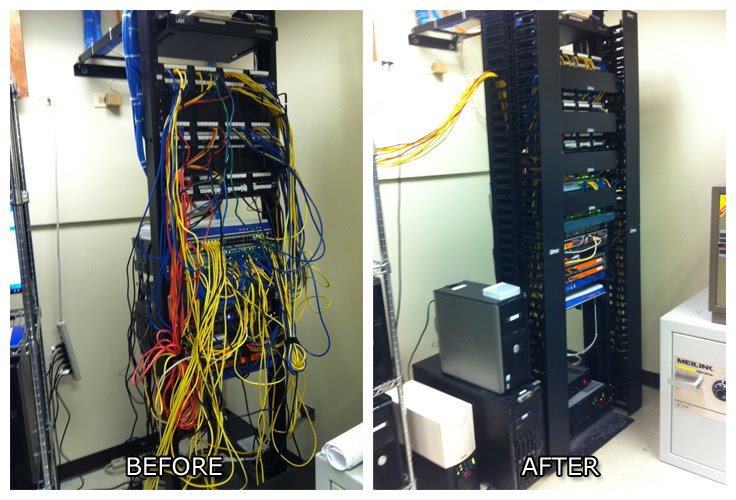
Office rack re-organization
Tangled patching replaced with managed, labeled runs in a new two-post rack.
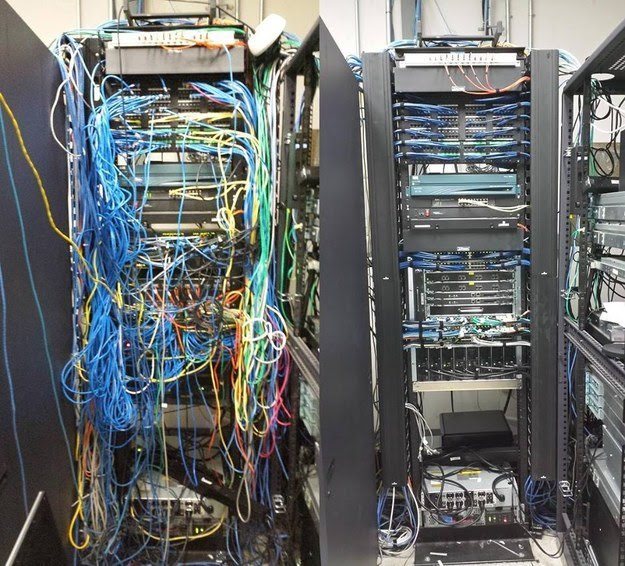
Network rack rebuild
Patch panels, switches and cords rebuilt into a clean, traceable layout.
What happens during a network closet cleanup?
A closet cleanup, or rack re-organization, turns a tangled closet into a labeled, documented rack without replacing equipment that still works.
Survey and plan
We photograph the closet, list the equipment and draw the new rack layout with room for airflow and growth.
Trace every connection
Each patch cord and horizontal run is traced and recorded so nothing loses connection when it is moved.
Label to a standard
Patch panel ports, cables and devices get TIA-606 style labels that match the documentation.
Re-patch with right-length cords
Long, mismatched cords are replaced with short, color-coded patch cords routed through horizontal and vertical managers.
Remove dead cable and equipment
Abandoned cables and retired devices are removed, and equipment is mounted properly in the rack with a UPS where needed.
Document
You receive before and after photos, an updated rack elevation and a port map.
After-hours scheduling
The work is done after hours or on weekends to avoid downtime, and we confirm every critical service is back up before we leave.
Do we work with general contractors on new construction?
Yes, we support general contractors and builders from drawings to close-out on commercial build-outs and renovations.
Drawings and scope
We review plans, confirm drop counts, locations and telecom room requirements, and flag conflicts early.
Rough-in
We coordinate boxes, sleeves, pathways and backboards with the electrical and framing schedule while walls are open.
Cable pull
Cable is pulled, supported and labeled according to the plan, with plenum or riser jackets as required.
Trim-out
We terminate jacks and patch panels, dress the racks and test every run after finishes are done.
Inspection coordination
We work around the GC's schedule so low voltage is ready for inspections and does not hold up the project.
As-built close-out
The package includes as-built drawings, labeling schedule and test reports for the owner.
Can you handle moves, adds and changes or remove old cable?
Yes, we handle moves, adds and changes (MACs) for growing offices, and we remove abandoned cable. Adding a few drops, moving a department or relocating a closet is done to the same labeling and testing standard as a new install, and your documentation is updated to match.
Every MAC ends with updated labels, a re-tested link and a revised port map, so your documentation never drifts out of date after the first year. That is the step most offices skip, and it is why closets turn back into spaghetti.
Old cable left in ceilings adds fire load, clutters pathways and makes every future job slower. The NEC calls for removal of accessible abandoned cable, and many landlords require it at move-out. We identify what is dead, confirm it is truly unused, then pull it out.
What Florida conditions affect network cabling?
Central Florida's lightning, humidity and heat affect network equipment, so we design for them.
Lightning and surge
Central Florida sees frequent lightning. We add surge protection on runs that leave the building, bond racks to ground and recommend UPS units with surge protection for core equipment.
Humidity
Outdoor and between-building runs use outdoor-rated or gel-filled cable and sealed enclosures, and fiber is preferred between buildings.
Heat in closets
Small closets full of PoE switches get hot fast. We plan ventilation or cooling, keep airflow paths open in the rack and leave room between hot equipment.
Power outages
A properly sized UPS keeps the firewall, switches and phones up through short outages and protects equipment from dirty power.
Hurricane season
Before a storm, a labeled rack and current documentation make it easy to shut down cleanly; after one, they make it fast to check each link and bring the network back up in order.
What kind of network and cabling work have we done?
Our team brings more than 25 years of hands-on work in networks and structured cabling, including these types of projects:
Small business networks
Office networks with firewall, switching, WiFi and cabling designed together.
Schools
Data wiring for classrooms and administrative areas.
Call centers
High-density cabling for rows of workstations and phones.
Server rooms
Rooms with multiple Panduit racks, Cisco Catalyst switching and organized cable management.
Fiber termination
Terminating and testing fiber backbones between closets and buildings.
Rack re-organizations
Office closet cleanups documented with before and after photos.
Brands
Cisco, Ubiquiti UniFi, Cisco Meraki, Aruba and Fortinet for networking, and Panduit plus other standards-compliant components for cabling and cable management.
What drives the cost of structured cabling?
The number of drops and how hard they are to reach drive most of the cost, and the free assessment produces a fixed written quote.
Number of drops and cable type
Cat6A and fiber cost more than Cat6, and more drops mean more material, termination and testing.
Run lengths and pathways
Long runs, conduit, hard ceilings, multiple floors or buildings add labor.
Ceiling height
Warehouses and tall spaces may need lifts.
Rack and equipment
New racks, patch panels, cable managers, switches, firewall and UPS are scoped separately.
Cleanup and removal
Closet cleanups and abandoned cable removal depend on how much must be traced and pulled.
After-hours work
Evening and weekend scheduling to avoid downtime can affect labor cost.
What do you receive at the end of a cabling project?
Every job ends with documentation you can hand to the next technician or your IT team.
- Labeled cables, jacks, patch panel ports and racks
- Test results for every copper and fiber run
- Network diagram and rack elevation
- Port map showing what each port connects to
- As-built drawings for construction projects
- Network credentials handed to you
- A walkthrough of the closet and documentation with your staff
Team credentials
- 25+years hands-on
- Network+CompTIA Network+
- A+CompTIA A+
- MCSAMicrosoft Certified Systems Administrator
- MCSEMicrosoft Certified Systems Engineer
- HikvisionHikvision Certified
Network design and cabling: common questions
Industries we serve: Construction and contractors, Offices, Retail and restaurants, HOAs, property managers and rentals, Homes
Should I install Cat6 or Cat6A?
Cat6 handles 1 Gbps to every desk at full distance and is right for most office drops. Cat6A supports 10 Gbps over the full 100 meters and handles high-power PoE better, so it is the better choice for WiFi 6E and WiFi 7 access points and future-proof builds. Many projects use both.
When should I use fiber instead of copper?
Use fiber for runs longer than 100 meters, links between buildings or closets, and backbones that need high speed. OS2 single-mode is best for long distances and between buildings, while OM3 or OM4 multimode is common for backbones inside a building. Fiber also avoids ground and interference problems between buildings.
How much does structured cabling cost per drop?
It depends on cable type, run length, pathways, ceiling height and how many drops are on the job. We do not quote by phone. The free site assessment produces a fixed written quote for your building.
Can you do cabling work after hours?
Yes. Cabling, closet cleanups and cutovers can be scheduled in the evening or on weekends so your staff and customers are not interrupted.
Do I get test results and labels for every cable?
Yes. Every run is tested with a certification tester and labeled on both ends following TIA-606 practices. You receive the test report, network diagram and port map at handoff.
What is a network closet cleanup?
A closet cleanup, or rack re-organization, traces and labels every connection, replaces long patch cords with right-length ones, adds cable management and removes dead cable and equipment. You receive updated documentation and before and after photos. The work is usually done after hours to avoid downtime.
Do I need to recable when moving into a new office?
Not always. We test and inspect the existing cabling, and runs that pass and are in the right places can be reused. We recommend new cable only where the old cable fails, is in the wrong place or cannot support your equipment.
Can you remove old abandoned cable?
Yes. We identify cable that is no longer in use, confirm it is truly dead, and remove it from ceilings and pathways. The NEC calls for removal of accessible abandoned cable, and many landlords require it at move-out.
What is plenum cable and do I need it?
Plenum (CMP) cable has a fire-resistant, low-smoke jacket required in air-handling spaces such as return-air ceilings. Riser (CMR) cable is used in vertical shafts between floors. We check your building and specify the jacket the space requires.
Do you work with general contractors?
Yes. We support GCs from plan review through rough-in, cable pull, trim-out, inspection coordination and as-built close-out, and we schedule around the rest of the trades.
Do you design the network or only install cable?
We design the network first: topology, MDF and IDF locations, rack elevations, PoE budget, VLAN plan and switch and firewall selection. The cabling is then built to support that design.
Which network brands do you work with?
We install and configure Cisco, Ubiquiti UniFi, Cisco Meraki, Aruba and Fortinet equipment, and use Panduit and other standards-compliant components for cabling and cable management. We recommend the platform that fits your size, budget and how you want to manage it.
How do you protect network equipment from Florida lightning and heat?
We bond racks to the building ground, add surge protection on runs that leave the building and recommend UPS units for core equipment. For hot closets we plan ventilation or cooling and keep rack airflow clear.
Do you serve businesses outside Orlando?
Yes. We serve Orlando and Central Florida, including Orange, Seminole, Osceola and Lake counties, and take larger projects anywhere in Florida.
Often paired with
Security camera systems
Commercial camera systems designed with coverage maps and pixel-per-foot targets, installed on a clean, secure network in Central Florida.
See security camera systemsBusiness WiFi and networking
Business WiFi designed from a site survey, built on wired access points, segmented for security and documented at handoff.
See business wifi and networkingAccess control
Door access control with cards, fobs, phones or PIN, installed on UniFi Access, HID, Hikvision or Brivo and tied to your cameras.
See access controlBook a free site assessment
Tell us what you need. We'll call you to schedule a free on-site assessment.
- No cost, no obligation
- We walk the site and check what's already there
- You get a clear plan and written quote
Prefer to talk? (689) 999-1144